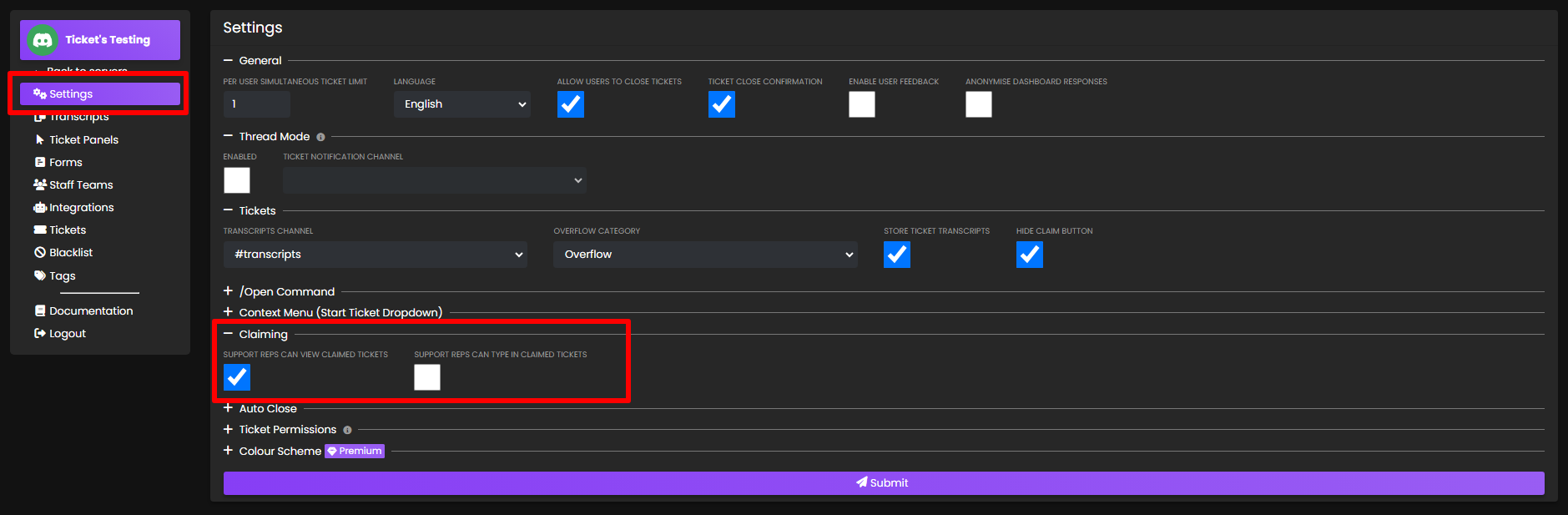
Claiming
Note: Channel mode only. Discord does not allow threads to be claimed. For more differences between the two modes, click here.
Tickets can be claimed by a staff member, so other staff members cannot also reply to the ticket. The benefit of this is that tickets become less cluttered with many staff members talking at once. Alternatively, an admin could claim a ticket to keep the support team from seeing potentially sensitive issues.
Note: Those with Administrator permissions in your server will always have access to any claimed ticket, as well as the user who claimed it.
Commands Related to Claiming
- /claim - Assigns you to a ticket
- /transfer @User - Transfers a claimed ticket to another user
- /unclaim - Removes the claim on the current ticket
Claiming can be configured in 3 ways
- All staff members can see the ticket, but only the claimer can reply (Default)
- All staff members can see the ticket, and all staff members can reply
- Only the claimer can see the ticket
Panel Switch Behavior
When a claimed ticket is switched to a different panel using /switchpanel, the claimer may not have access to the new panel's support team. This setting controls what happens in that scenario:
- Auto Unclaim (Default) - The ticket is automatically unclaimed when switched to a panel the claimer doesn't have access to
- Block Switch - Prevents switching to a panel if the claimer doesn't have access to it. The ticket must be unclaimed first before switching
- Remove On Unclaim - Allows the switch, but removes the claimer's access to the ticket when they unclaim it
- Keep Access - Allows the switch and keeps the claimer's access to the ticket even after unclaiming
Note: This setting only applies when the claimer doesn't have access to the new panel. If the claimer has access to both panels, the ticket remains claimed and no special handling is needed.
You can configure these settings on the dashboard's settings tab: