
Exit Survey
An exit survey is a form presented to the user after they close a ticket and leave a star rating. It lets you collect structured written feedback alongside the numeric rating.
Premium Feature
Exit surveys require Premium.
Setting Up an Exit Survey
- Create a form containing your feedback questions.
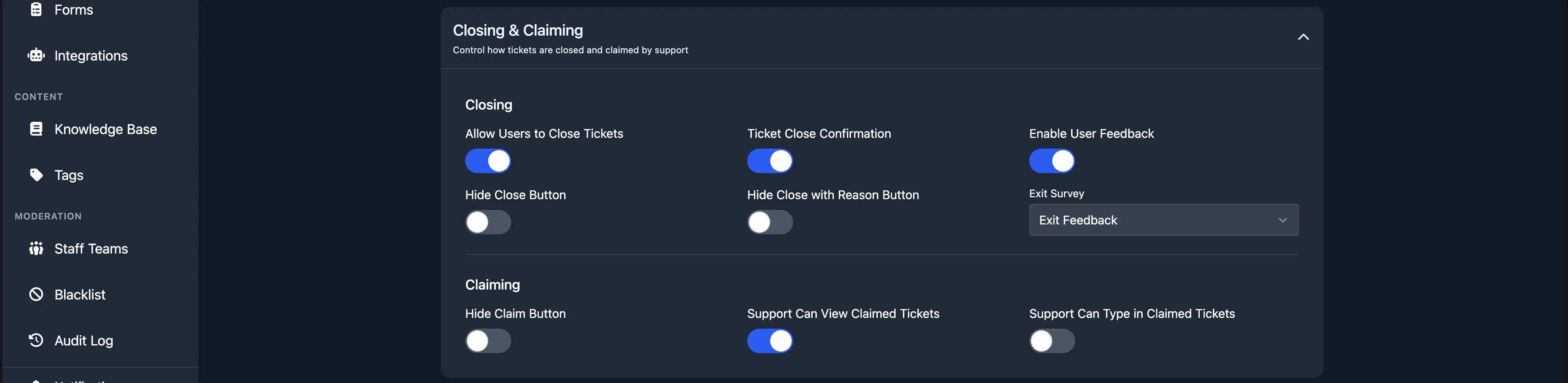
- Enable user feedback on the panel (the Enable User Feedback toggle in the Closing and Claiming section).
- In the same section, set the Exit Survey dropdown to the form you created.
The next time a user rates a ticket on that panel, they will also be prompted to fill in the survey form.
Viewing Responses
When a user submits a survey response, the archive message in your transcript channel is updated with a button to view their answers.