
Building Integrations
Integrations let you include information from your own web server or a third-party API directly in ticket welcome messages.
In this guide we build a custom integration from scratch: a sample API, dashboard setup, and how to use the placeholders in a panel welcome message.
What can I use integrations for?
If you run a service where users link Discord accounts (for example via Discord OAuth), you can expose an HTTP endpoint that Tickets calls when a ticket opens and map the response into welcome-message placeholders.
A simple example is a forum: when a user opens a ticket, you could show their forum username automatically.
Integrations do not have to return user-specific data - any JSON your endpoint returns can be mapped to placeholders.
Limits
| Limit | Value |
|---|---|
| Integrations created per user | 5 |
| Active integrations per server | 5 |
| Secrets per integration | 5 |
| Request headers per integration | 5 |
| Placeholders per integration | 15 |
| Secret value length | 1–255 characters |
| Integration name | 1–32 characters |
| Integration description | 1–255 characters |
Webhook and validation URLs must use http or https and cannot point to discord.com or discord.gg.
Background Setup
Suppose we run a game where users link Discord accounts. We want to show usernames, scores, and status in the welcome message when they open a ticket.
The following Express server serves example JSON at https://example.tickets.bot. It accepts POST requests with a JSON body (recommended - see Ticket-open requests):
const express = require("express");
const app = express();

app.use(express.json());

const users = {
  "1325579039888511056": {
    online_status: "Online",
    user: {
      username: "Tyler",
      account_created_year: 2019,
      scores: {
        high_score: 3000,
        last_score: 400,
      },
    },
  },
};

app.post("/lookup", (req, res) => {
  const user = users[req.body.user_id];
  res.json(user ?? {});
});

app.listen(process.env.PORT, () => console.log("Listening..."));
If the user exists, the server returns their object; otherwise it returns {}. Missing values in the response map to N/A in welcome messages (see Responses).
Example request:
curl -X POST https://example.tickets.bot/lookup \
  -H "Content-Type: application/json" \
  -d '{"user_id":"1325579039888511056","guild_id":"1071167333265047653"}' | jq .
Your integration must return JSON. Other formats are not supported. Nested objects are fine; top-level JSON arrays are not - join arrays to strings before returning.
Creating Your Integration
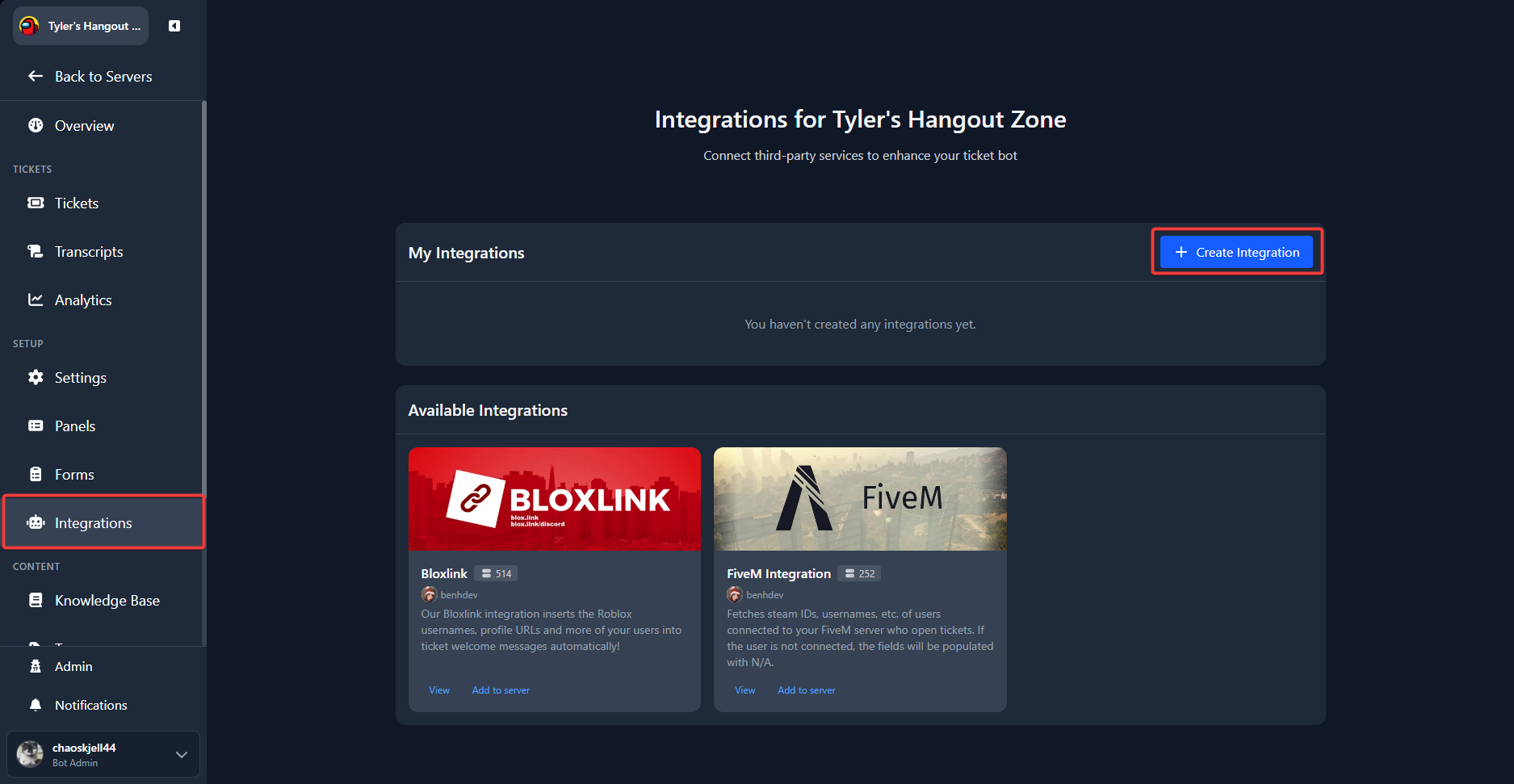
Open the web dashboard, select a server, and go to Integrations in the sidebar. Press Create Integration:
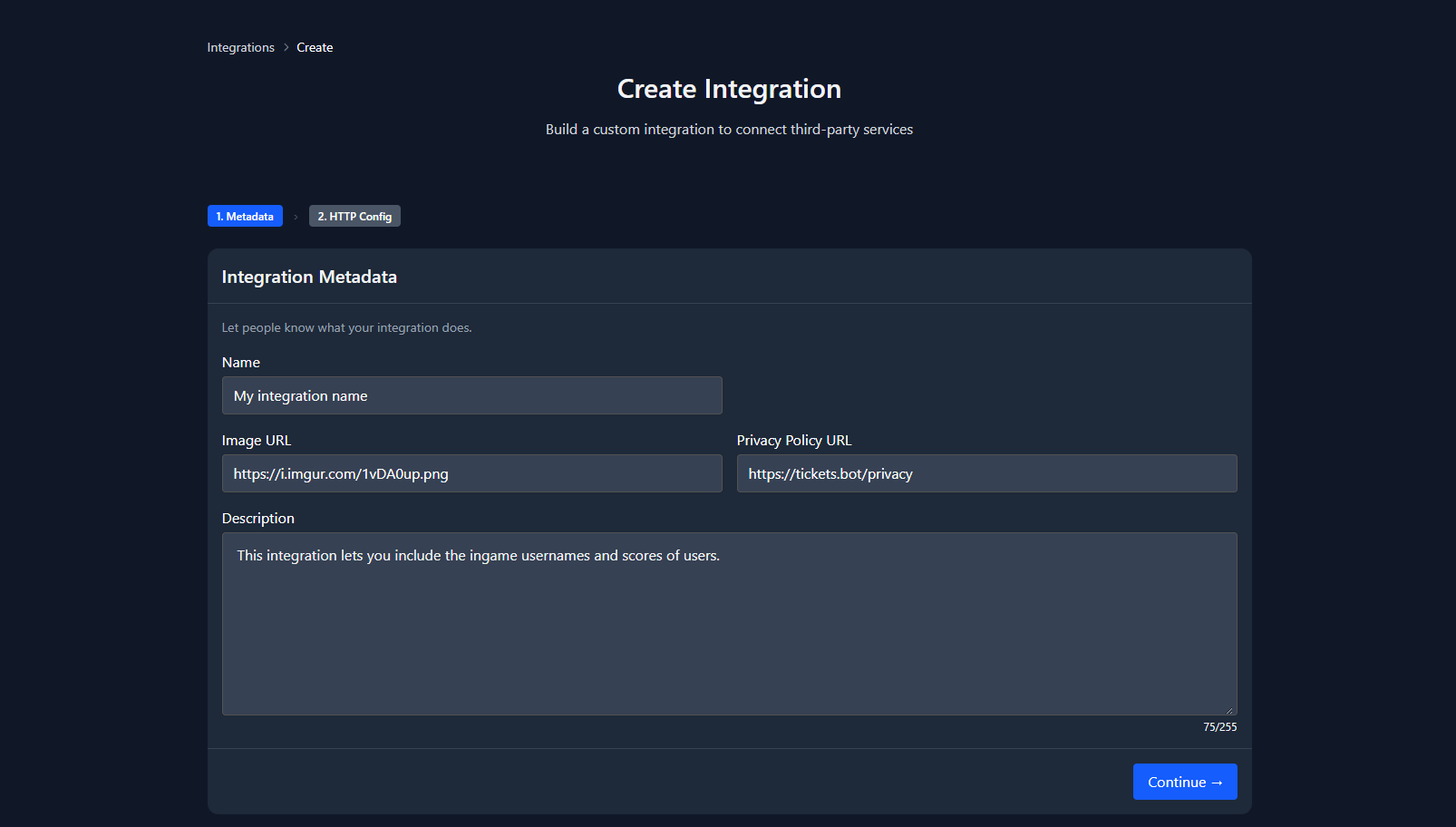
Fill in name, description, and optionally a logo image URL and privacy policy URL (recommended for public integrations). Press Continue.
HTTP request
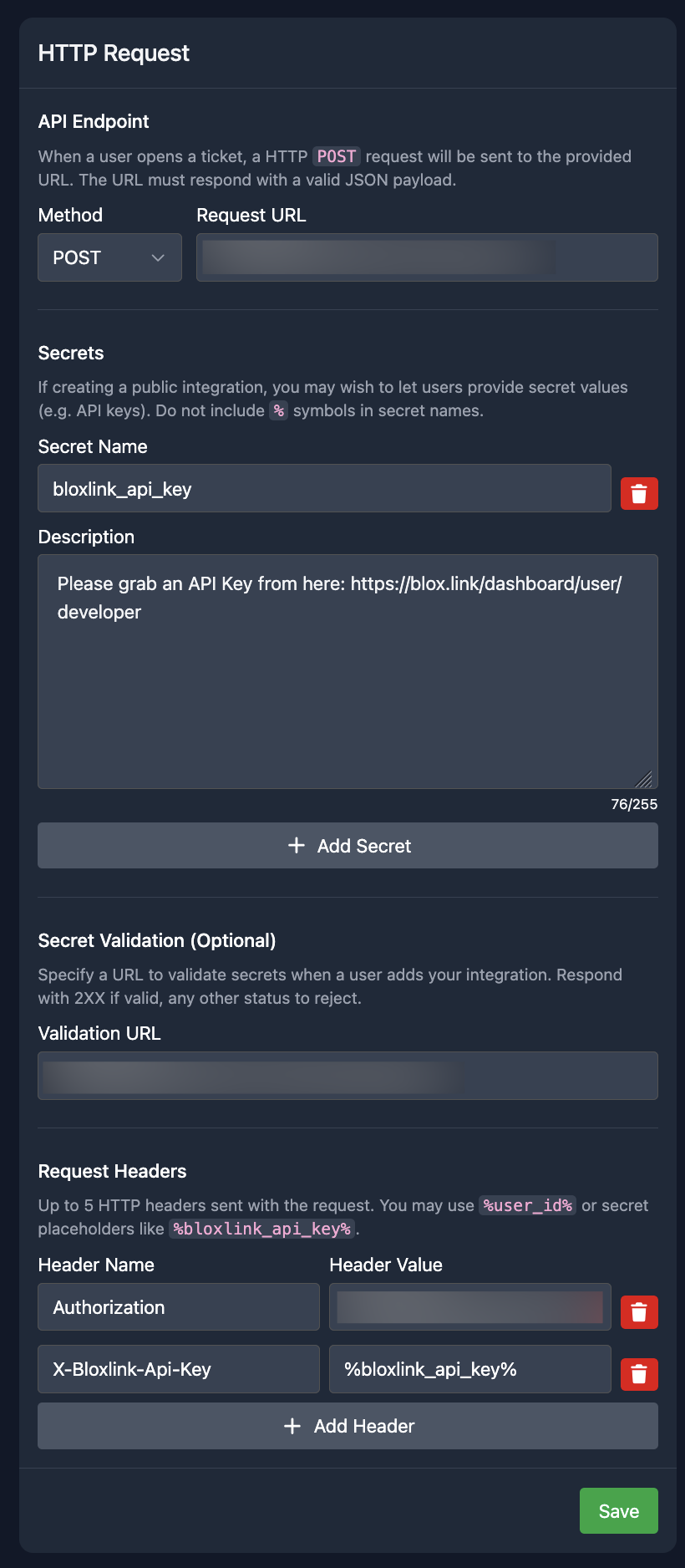
Configure how Tickets calls your server when a ticket opens:
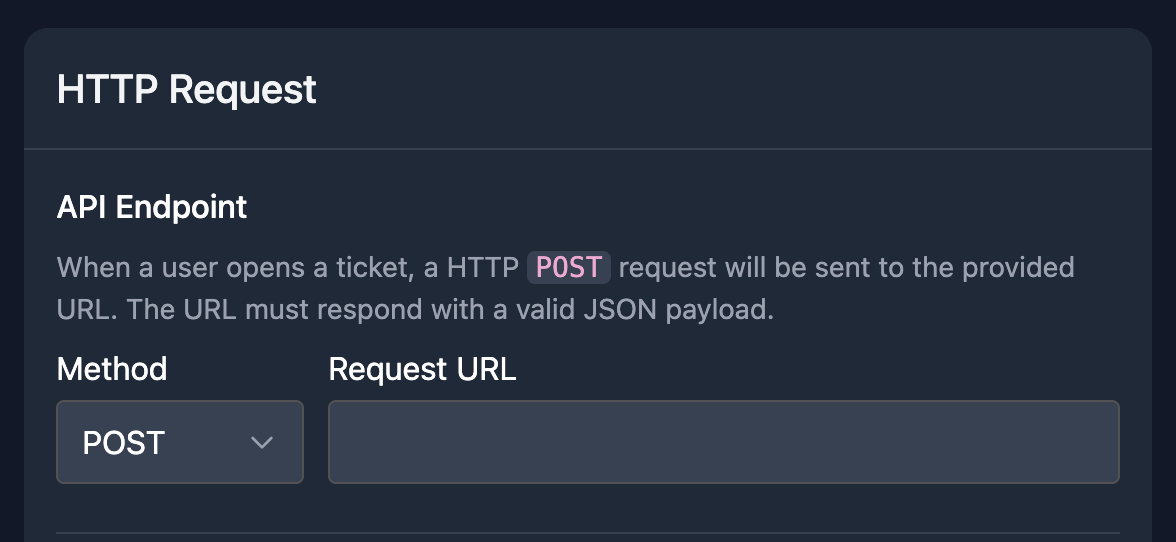
Set the request URL to your endpoint. For this tutorial use POST with URL https://example.tickets.bot/lookup.
You can use these placeholders in the URL and header values:
| Placeholder | Replaced with |
|---|---|
%user_id% | Discord user ID of the ticket opener |
%guild_id% | Discord server ID |
%secret_name% | Per-server secret value (name matches your secret definition) |
GET is also supported (query string substitution only, no body). POST is recommended so you receive a structured ticket payload.
Ticket-open requests
When the HTTP method is POST, Tickets sends a JSON body like:
{
  "guild_id": "1071167333265047653",
  "user_id": "1325579039888511056",
  "ticket_id": 30,
  "ticket_channel_id": "1326292668053192704",
  "is_new_ticket": true,
  "form_data": {
    "What is your question?": "I have a problem with XYZ",
    "What is your email address?": "user@example.com"
  }
}| Field | Notes |
|---|---|
guild_id, user_id | String snowflakes |
ticket_id | Numeric ticket ID |
ticket_channel_id | String snowflake |
is_new_ticket | Always true today (integrations run only when a ticket is opened) |
form_data | Only for non-public integrations. Keys are form question labels, not internal field IDs |
Requests are sent through the secure-proxy, not directly from the bot.
Responses
- Return
Content-Type: application/json. - Map fields to placeholders using dot paths (for example
user.username→%player_name%). - If a JSON path is missing, the placeholder becomes
N/Ain the welcome message. - Do not return top-level arrays.
Headers and Secrets
Add authentication or other headers under Request Headers. Use a custom header name for API keys - the Authorization header is blocked and will not be sent.
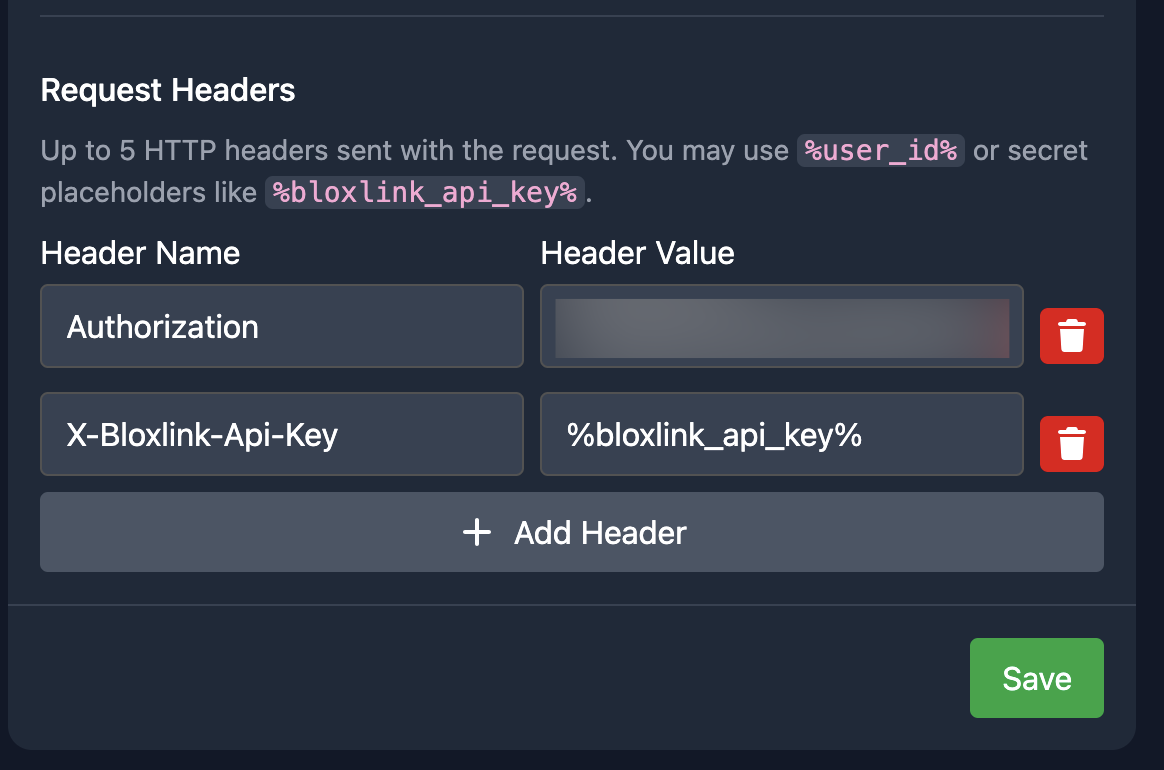
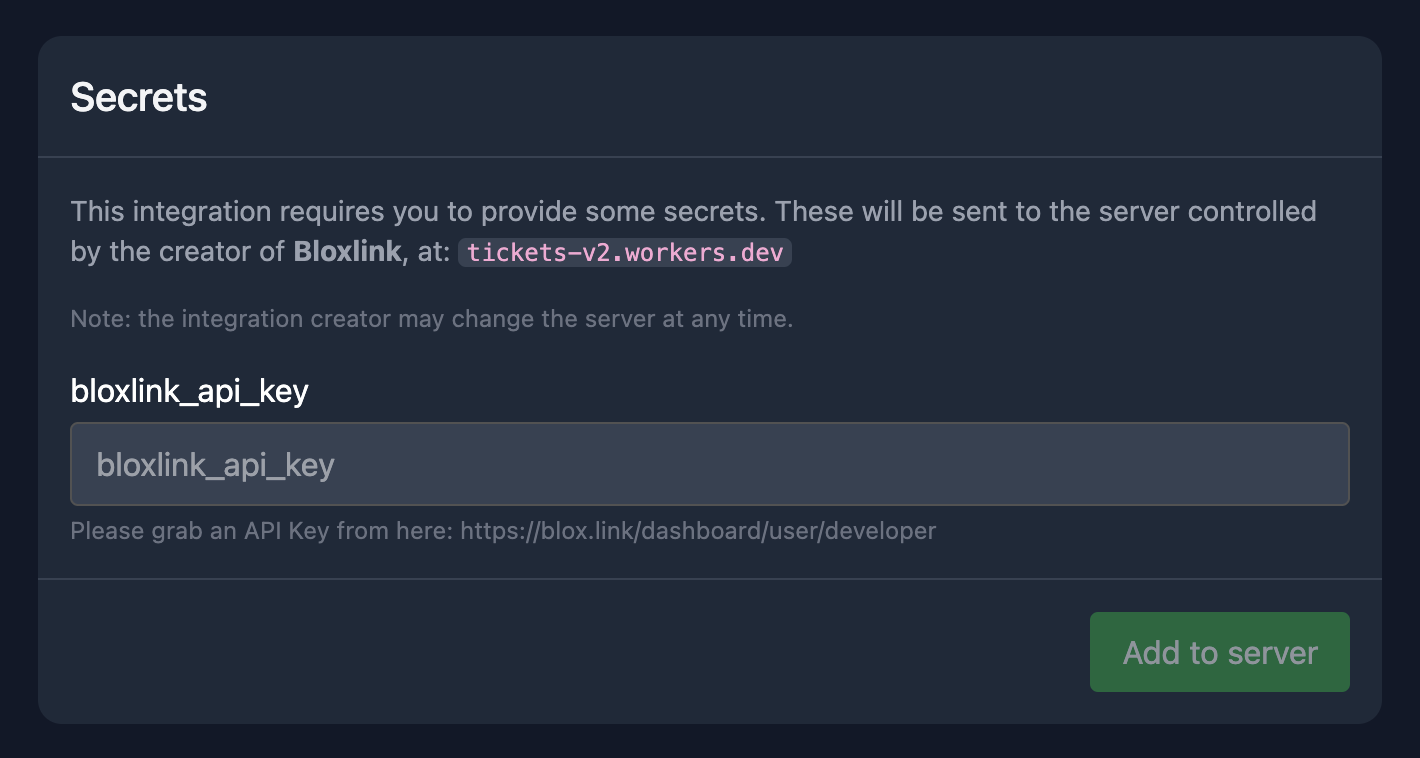
Secrets let each server supply its own values (for example an API key). Define a secret name and description; users enter the value when they add the integration to their server. Reference secrets in URLs or headers with %secret_name%:
Important:
- Secret values are sent to your server. You can change the webhook URL at any time.
- After saving, secret values cannot be viewed again in the web dashboard - users must re-enter them to update.
- On the public integration view page, only the webhook domain is shown, not the full URL.
Prefer passing secrets in headers (for example X-MyService-Api-Key: %api_key%) rather than query strings.
Secret validation
For public, staff-approved integrations you can set a validation URL. When a server admin activates the integration, Tickets POSTs to that URL to verify the secrets before saving.
The request includes:
- JSON body -
guild_idanduser_id(Discord snowflakes as strings), plus{ "secret_name": "value", ... }for each secret - Headers - your configured headers with
%secret_name%,%guild_id%, and%user_id%placeholders replaced - Validation URL -
%guild_id%,%user_id%, and%secret_name%placeholders in the URL are also replaced
Success: any 2xx status code (body ignored).
Failure: any non-2xx status. You may return JSON with an error field; the message is shown to the admin:
{
  "error": "Your API key is invalid."
}
The validation URL must share the same registrable domain as the webhook URL.
Placeholders
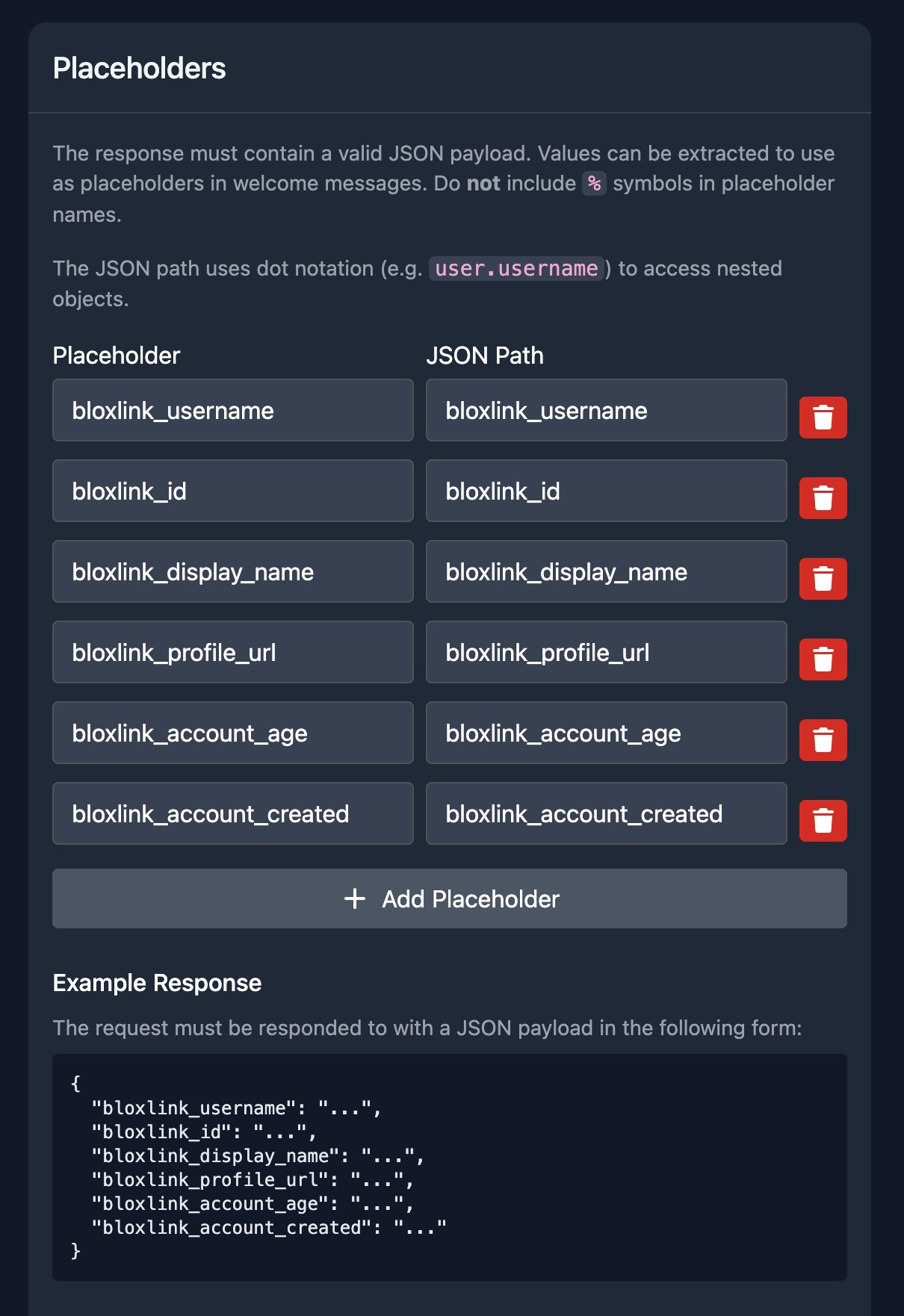
Map JSON response fields to welcome-message placeholders:
Example response:
{
  "online_status": "Online",
  "user": {
    "username": "Ryan",
    "account_created_year": 2019,
    "scores": {
      "high_score": 3000,
      "last_score": 400
    }
  }
}| JSON path | Example value | Example placeholder name |
|---|---|---|
online_status | Online | %status% |
user.username | Ryan | %player_name% |
user.scores.high_score | 3000 | %high_score% |
Placeholder names are independent of JSON paths.
Press Create, then review the integration preview:
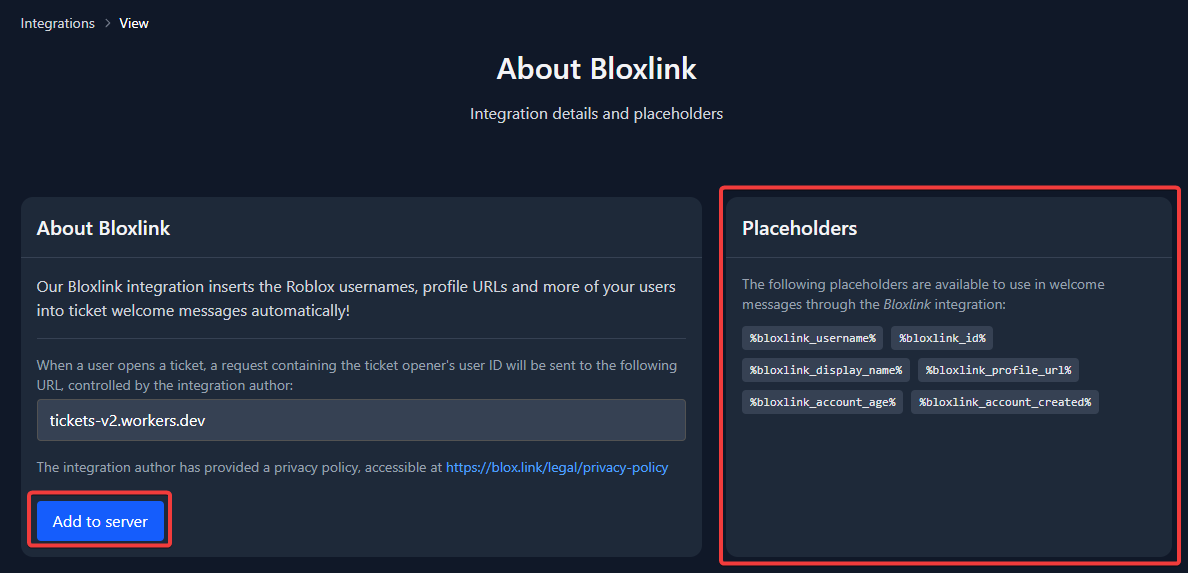
Press Add to server to activate it on your server (enter secrets if required).
Installing a Community Integration
Server admins can browse available integrations on the Integrations page, open an integration, and press Add to server. After activation, use Configure to update secrets (re-enter all values) or Remove to deactivate.
To publish your own integration: create it, then use Make Public on the manage page. Staff review it before it appears in the public list.
Using Placeholders
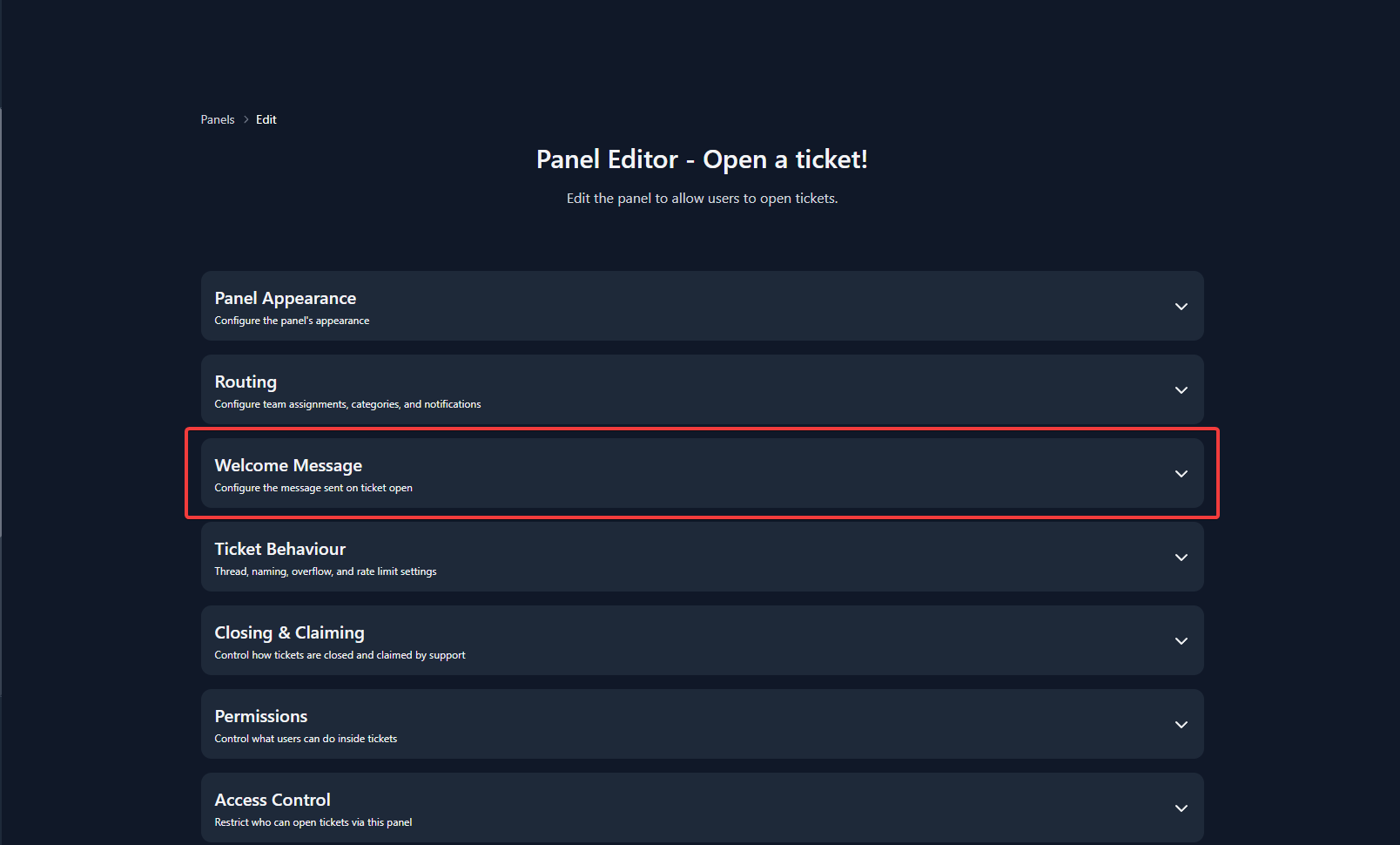
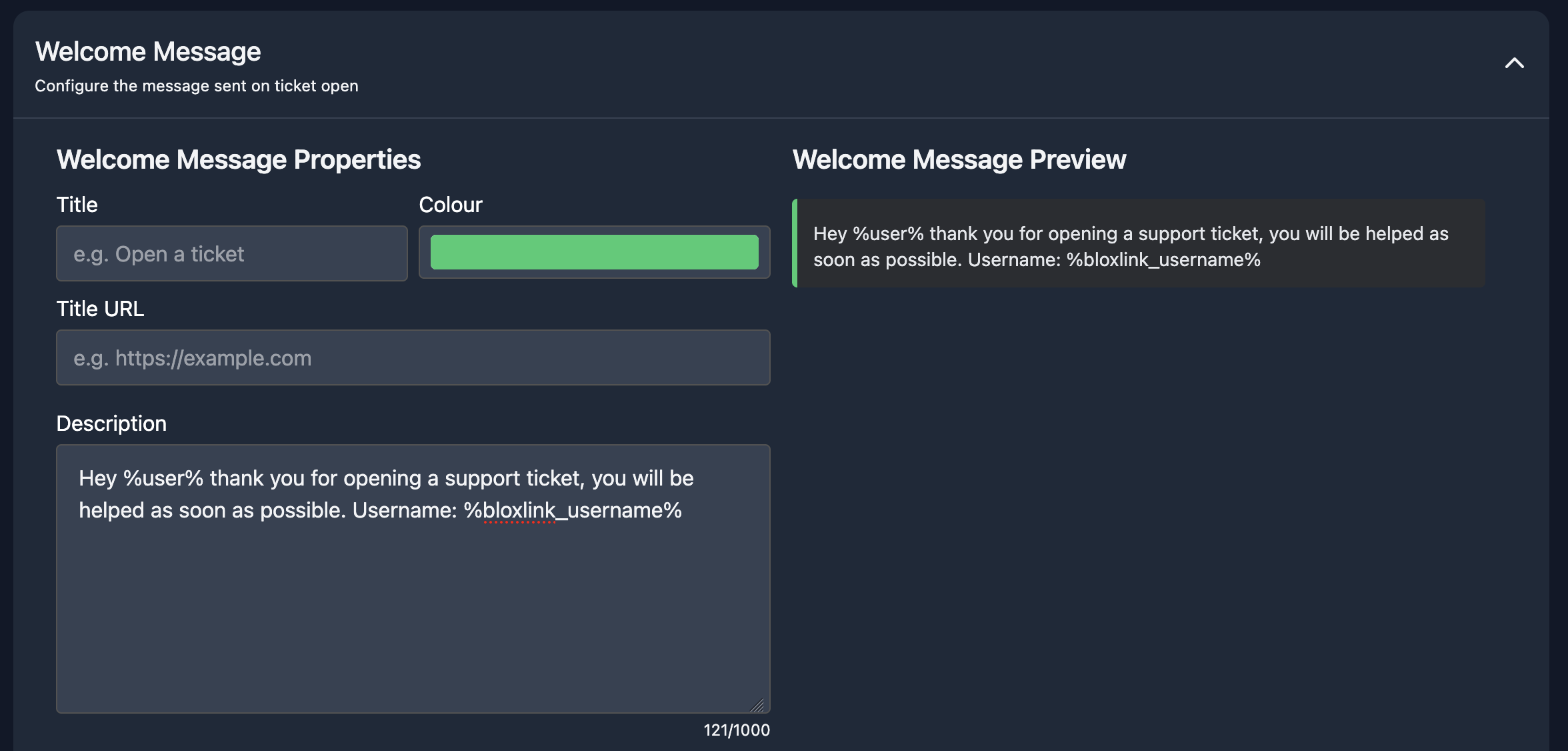
After the integration is active on your server, add placeholders to a panel welcome message. Open Ticket Panels, edit a panel, and open the welcome message editor:
Open a ticket to test:
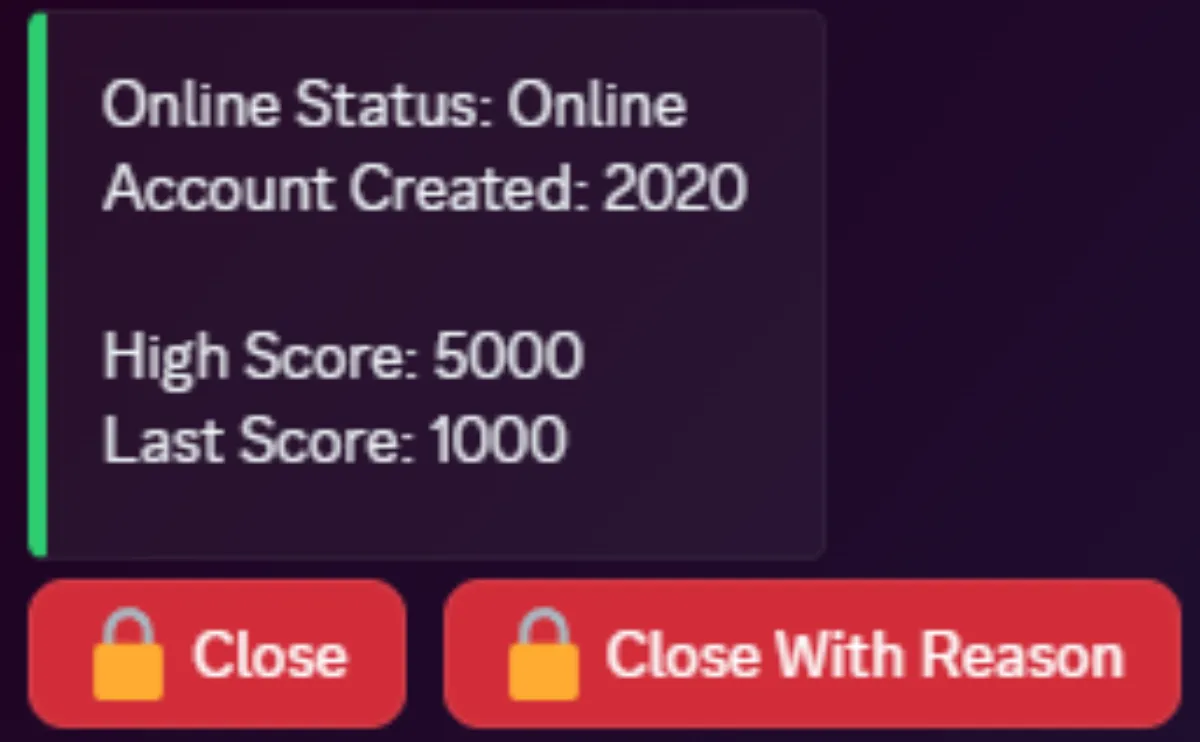
Custom integration placeholders only apply to integrations you have added and configured. Each integration defines its own placeholder names on its view page.
Cloudflare Workers (optional)
You do not need a worker to build an integration - any HTTPS JSON endpoint is enough. If an upstream API is hard to map directly (nested arrays, fields to filter), you can deploy a Cloudflare Worker and use its URL as your integration request URL. See Cloudflare Workers.
If you want Tickets to host your integration as a first-party public option (not just your own URL), that is a separate process via pull request on GitHub; see hosting a public integration with Tickets.
Need Help?
Ask in our Discord server.
Security
We proxy all integration HTTP requests and block private-network targets. Integration traffic should arrive via Cloudflare (AS13335).
We are particularly interested in reports about:
- Accessing internal services
- Exposing origin IPs of our nodes
- Accessing secret values of other servers
- Accessing another user's IP via integration logos
Integration logos are proxied through dedicated image CDN nodes (AS16276 / OVH), separate from our internal network. Logos on the create/edit pages are not proxied (only visible to the integration author).
When performing security research:
- Confirm assets are in scope and operated by us. If unsure, ask in Discord.
- Do not use automated scanners.
- Do not run (D)DoS or resource-exhaustion tests.
Open-source components:
- Integration proxy: secure-proxy, global-resolver
- Image proxy: image-proxy, global-resolver