
Whitelabel Removal Guide
Please follow this guide very carefully. If you skip a single step, the process will not work. The whitelabel removal process is very short.
(Step 1 of 4) Disable Whitelabel
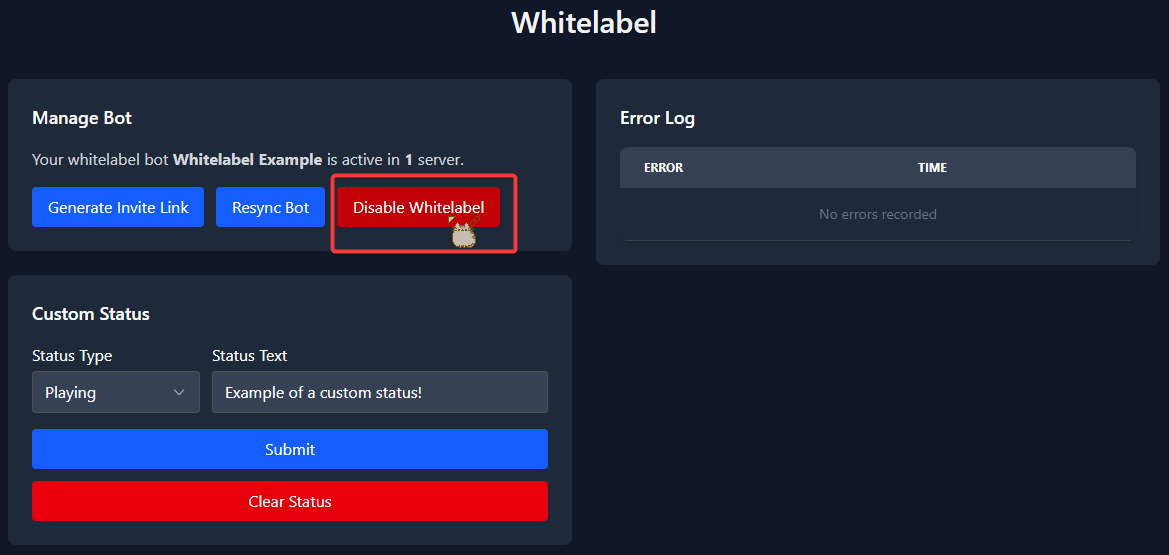
Head over to the whitelabel section on the web dashboard. There you will need to disable your whitelabel bot.
To do this press the Disable Whitelabel button.
Confirm by pressing Disable in the dialog that appears.
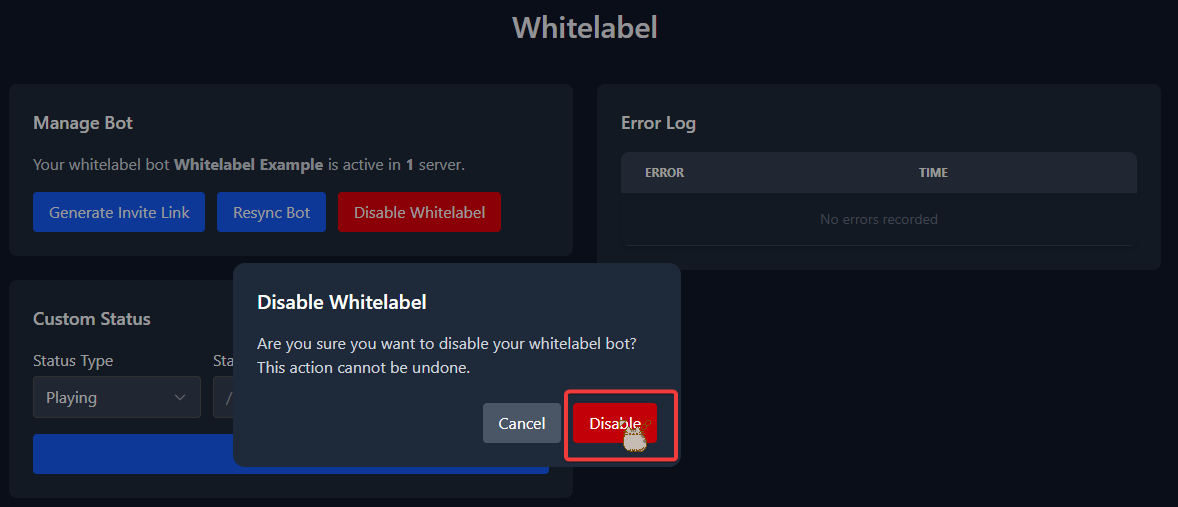
You will then be presented with a message saying that whitelabel has been disabled.
(Step 2 of 4) Remove the Whitelabel Bot
Kick the whitelabel bot.
(Step 3 of 4) Invite Tickets
Invite the Tickets bot to your server. Follow our invite guide if you need help with this.
(Step 4 of 4) Resend Your Ticket Panels
To do this you will need to delete the ticket panel messages sent by your whitelabel bot. Afterwards head to the web dashboard > select your server > Ticket Panels section > 3 dot menu > press the Resend button. Repeat this for all ticket panels.