
Create Your First Ticket Panel
A ticket panel is the embed message with a button that your server members click to open a ticket. This guide walks you through creating a basic panel. For a full reference of all panel options, see Ticket Panels.
Open the Panels Page
- Log in to the web dashboard and select your server
- In the sidebar, find the Setup group and click Panels
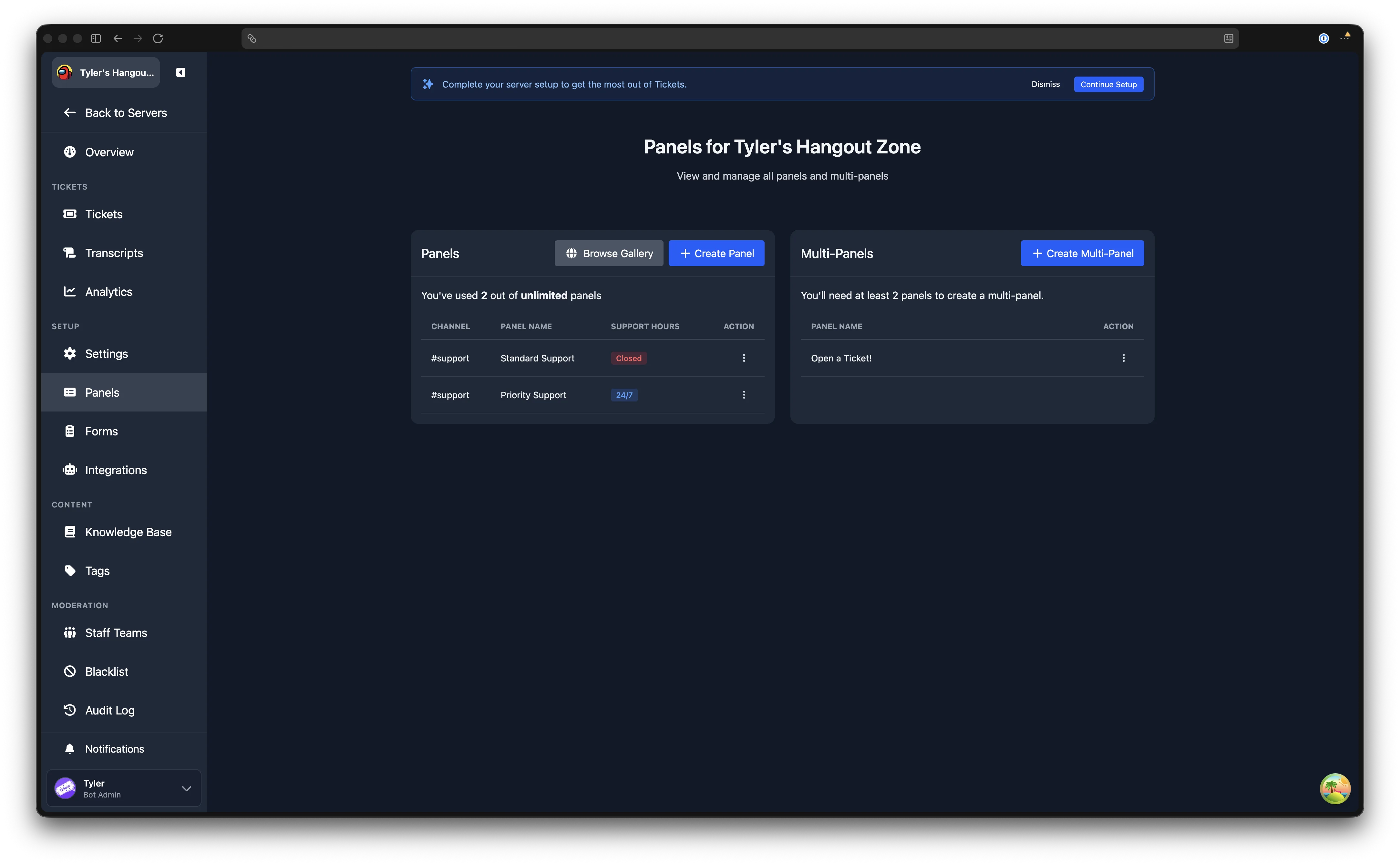
Create a Panel
Click the Create Panel button at the top of the page. You will be taken to the panel creation form.
Required Fields
At a minimum, configure these four fields to get a working panel:
- Panel Title - the bold heading displayed on the embed (e.g. "Need Help? Open a Ticket")
- Panel Channel - the Discord channel where the panel message will be sent. Choose a channel that all members can see.
- Ticket Category - the Discord channel category where new ticket channels will be created
- Support Team - which staff team will handle tickets opened from this panel
Create a Support Team First
If you have not created a support team yet, visit the Staff Teams page first, or use the Setup Wizard which guides you through teams, forms, and panels in order.
Optional Fields
You can also set a panel description, button text, button colour, button emoji, a form to collect information from users, and more. These can all be configured now or added later by editing the panel.
Send the Panel
Once you have filled in at least the required fields, click Create at the bottom of the page. The panel embed will be sent to the channel you selected. A success notification will confirm it was created.
Your members can now click the button on the panel message to open a ticket.
What Next
- Learn about all the panel options (welcome messages, access control, support hours, auto close) in the full Ticket Panels reference
- Create additional panels for different types of support (e.g. billing, moderation, general)
- Attach a form to collect structured information before a ticket is opened