
User Feedback
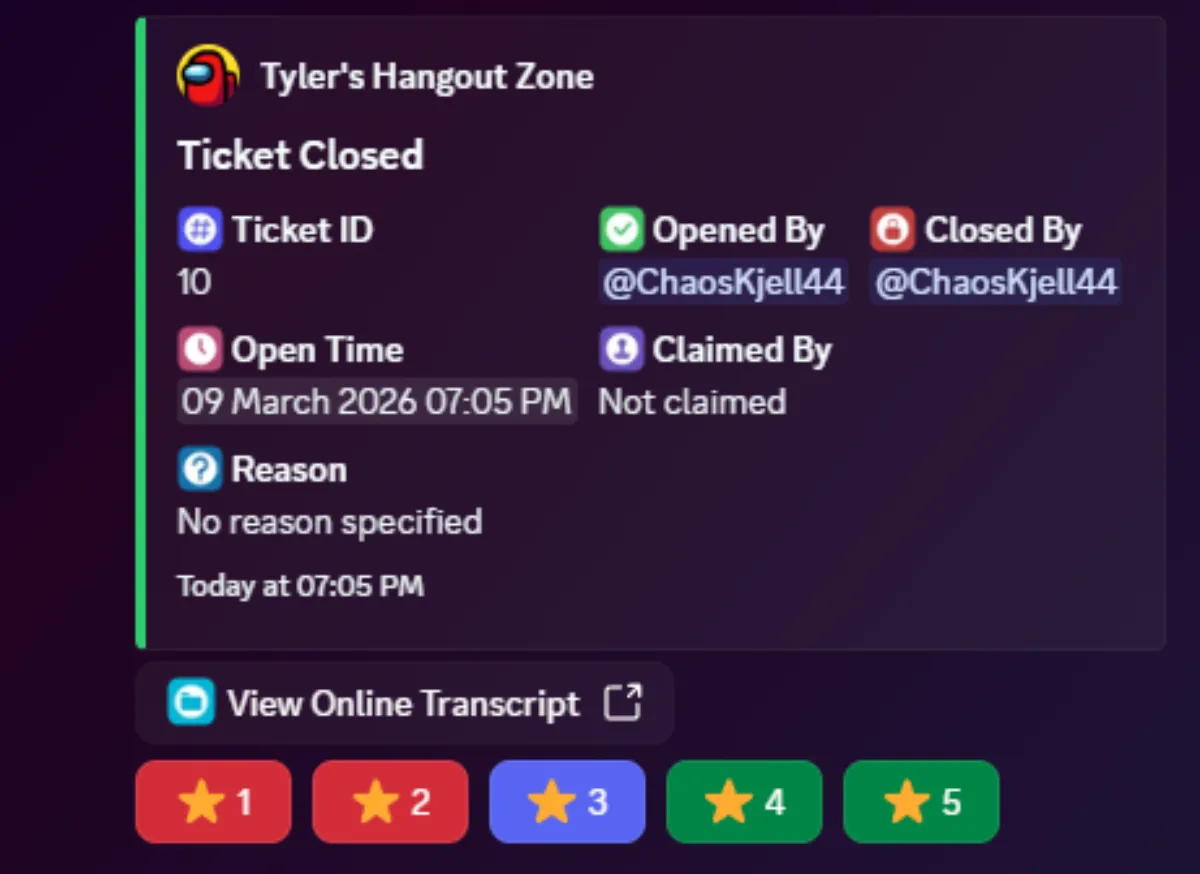
User feedback lets your users rate the support they received after a ticket is closed. When enabled, the user is prompted with a star rating (1 to 5) after their ticket closes.
Enabling Feedback
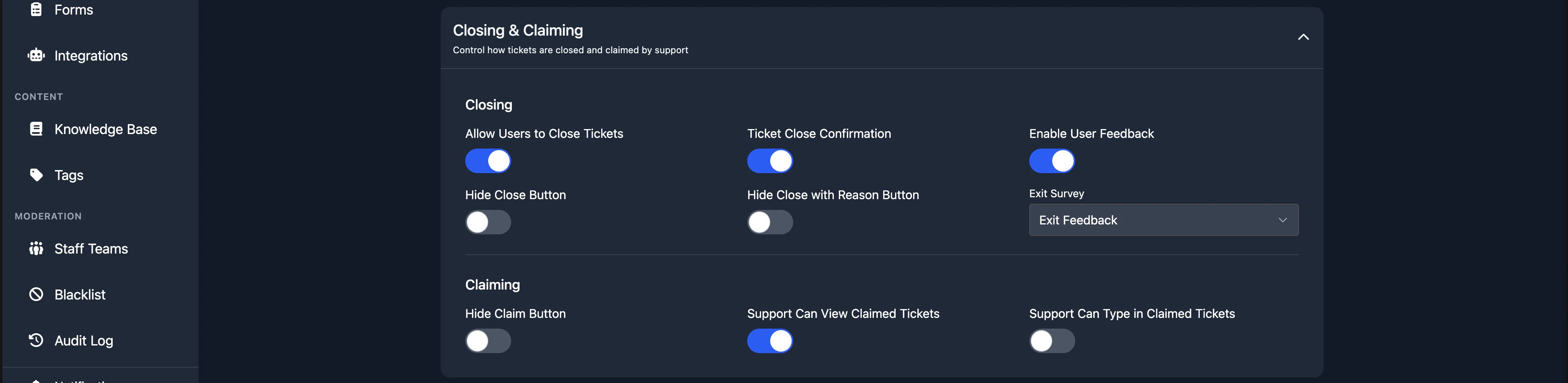
User feedback is enabled per panel. Open any panel from the Panels page, expand the Closing and Claiming section, and enable the Enable User Feedback toggle.
The next time a user's ticket is closed on that panel, they will be asked to provide a rating.
Exit Survey
You can collect more detailed feedback by attaching an exit survey form. When an exit survey is configured, the user is asked to fill in a form after leaving their star rating.
Learn more about exit surveys.
Viewing Feedback
Analytics
Premium subscribers can view feedback data on the Analytics page:
- Avg Rating shows the average star rating across all rated tickets.
- Feedback Rate shows the percentage of closed tickets that received a rating.
- Feedback Distribution shows a breakdown of how many ratings were given for each star value.
Individual staff member ratings are available on the staff detail page.
Transcripts
You can view the rating for any individual ticket on the Transcripts page. The Rating column shows the star rating left by the user, or "No rating" if no feedback was submitted.
Placeholders
You can include feedback statistics in your welcome messages using these placeholders:
%average_rating%displays your server's average feedback rating.%rating_count%displays the total number of feedback ratings received.