
Start Ticket from Message
You can open a ticket directly from any message in your server using Discord's context menu. This is useful for moderation workflows where you need to discuss a specific message with its author in a private ticket.
How to Use
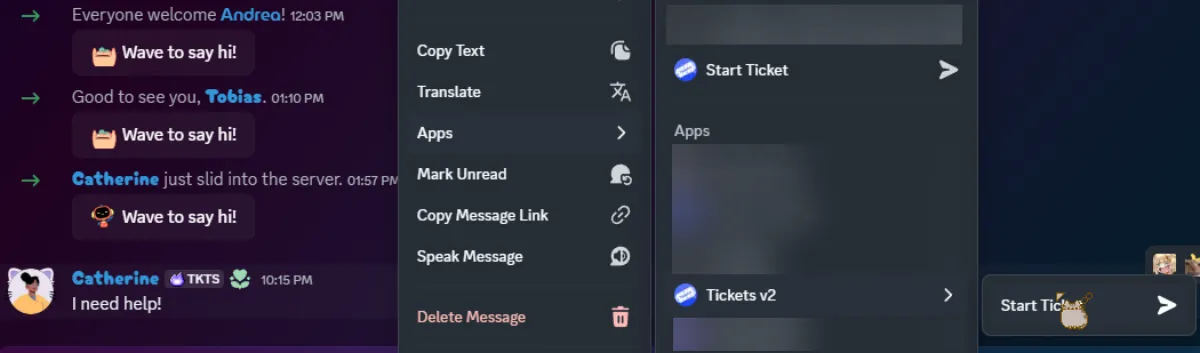
Right-click a message in Discord (or long-press on mobile), hover over Apps, and select Start Ticket.
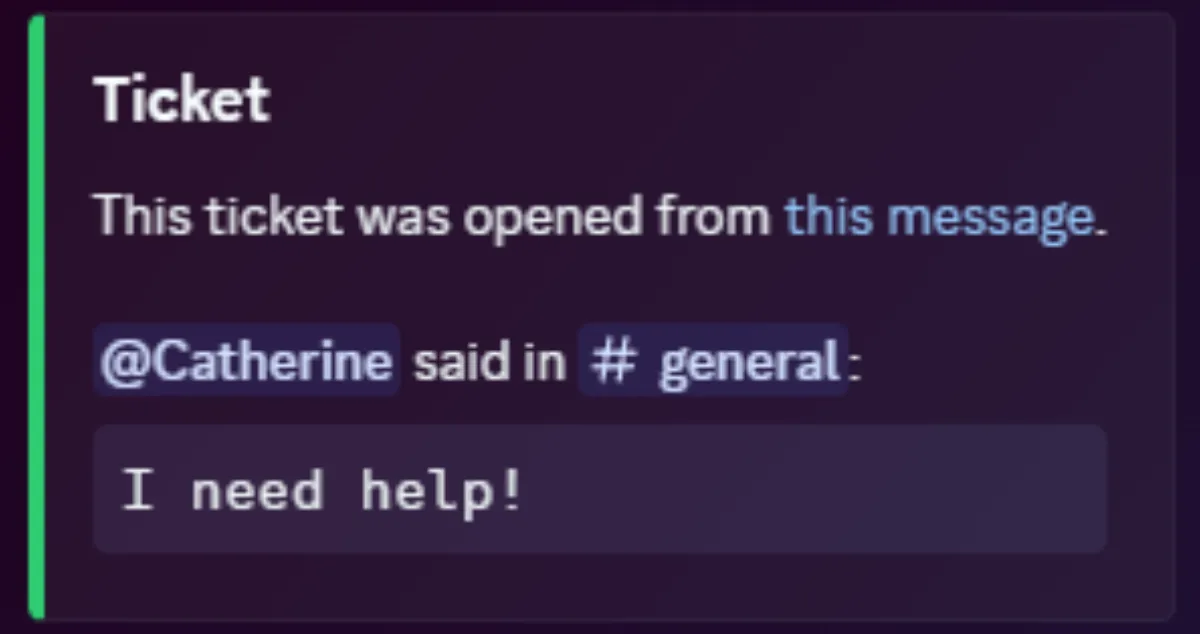
A new ticket is created with the user who sent the message. The bot posts a message quoting the original content and linking back to it.
Configuration
These settings are found in the dashboard under Settings in the sidebar, in the Context Menu section.
Use Settings from Panel
Select a panel whose ticket settings (support teams, category, welcome message, etc.) are used when a ticket is opened via the context menu. If set to "None", tickets opened this way use default settings.
Required Permission Level
Controls who can use the context menu to start a ticket:
- Everyone - any server member can use it.
- Staff Only - only users with a support role or higher can use it.
- Admin Only - only users with an admin role can use it.
Add Sender to Ticket
When enabled, the user who sent the original message is automatically added to the new ticket. When disabled, the sender is not added and the "Conversation moved to ticket" message is not sent. This is useful when the sender is being reported and should not be aware of the ticket.